Live Demo
Online Demos with Instructions
Try the program directly in your browser – no installation, no registration required.
InfoRapid KnowledgeBase Builder transforms documents, web pages, and ideas into interactive 3D mind maps and flowcharts – featuring full-text search, Wikipedia import, and automatic diagram generation from text.
A full-featured knowledge management system that organizes, searches, and visually presents your documents.
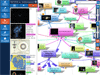
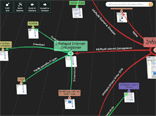
Browseable mind maps with real 3D mode and many layouts. Export as GLB 3D model with hyperlinks – directly embeddable into your homepage.
Add text documents and web pages with all formatting and links to your knowledge base and find everything in seconds.
Create flowcharts manually or generate them automatically from pseudocode – ideal for developers and process documentation.
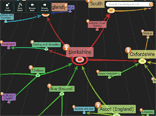
Import Wikipedia articles complete with images, Wikidata entries, and MediaWiki databases directly into your mind map.
Your data stays yours: everything is securely stored in a local SQLite database – no cloud requirement, full control.
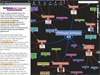
Automatically generate mind maps via text analysis from documents, and showcase your results with the elegant presentation mode.
InfoRapid KnowledgeBase Builder is an outstanding knowledge management tool. You can save text documents and web pages with all formatting and links in your knowledge base and search them with the full-text search. Since every document is attached as a text note to an item in a 3D mind map, you can organize your documents perfectly as a large mind map. The mind map is browseable, so you will never lose perspective even with thousands of documents. All data is reliably stored in a local SQLite database.
The program includes many other outstanding features such as the automatic creation of mind maps from text documents, the import of Wikipedia articles and Twitter tweets into the mind map, and much more. You can even export your knowledge base as a formatted HTML document. But that's not all: InfoRapid KnowledgeBase Builder is also an excellent software for creating flowcharts – either manually or automatically generated from pseudocode. And there are a thousand more things you can do with the program. Once you've tried the program, you certainly won't want to miss it anymore – we promise.
Try the program directly in your browser – no installation, no registration required.
All versions are compatible with each other and use the same database format – switch seamlessly between desktop, tablet, and smartphone.
 Windows Store
Windows 10 & 11 (also for Windows 8 & 8.1)
Windows Store
Windows 10 & 11 (also for Windows 8 & 8.1) iOS App Store
iPhone & iPad from iOS 11.4
Mac App Store
macOS 10.12 or newer
iOS App Store
iPhone & iPad from iOS 11.4
Mac App Store
macOS 10.12 or newer Google Play
Android App for Smartphone & Tablet
Amazon Appstore
Android App, also for Fire tablets
Google Play
Android App for Smartphone & Tablet
Amazon Appstore
Android App, also for Fire tablets In the Browser
Start immediately, no installation
In the Browser
Start immediately, no installationFrom a free start to an enterprise-wide solution in the company intranet.
The KnowledgeBase Builder is continuously developed since 2013. The most important innovations:
Exchange your data now also in JSON format with other applications.
Present your mind maps impressively – ideal for meetings and lectures.
Embed interactive 3D mind maps directly into your own homepage.
Wikidata import, 3D model export as GLB file, and many new keyboard shortcuts.
Items can be moved by drag and drop and linked with hyperlinks.
New formatting options and table support in texts.
Real 3D Mode with many different layouts.
Now also available as iOS App for iPhones and iPads in the Apple App Store. The new Android version supports opening and saving databases in the cloud.
Now available as Apple macOS version in the Apple Mac App Store.
Bug fixes and speed optimizations.
New formatting options in notes and descriptions, scrollable toolbars.
Full-text search in notes and descriptions, automatic MindMap creation by text analysis.
Create instantly complex MindMaps with the new function "Insert Outlined Text".
Creating Flowcharts from Pseudocode, XML file import, embedding tables and appointments into items.
Edit diagrams online together with colleagues.
Grouped layout.
Twitter import, new network layout, hiding items by click.
Table view where items can be rearranged by drag and drop.
Import from other Wikipedia projects such as Wikinews, Wikitravel, Wikibooks, etc.
Memorize diagram items by using the flashcard method.
When selecting text in the note panel the Wikipedia article belonging to to the selected text is automatically searched.
Wikipedia articles and images can be imported. Items can be expanded and collapsed in order to show the description text in the diagram.
Images can be inserted directly into items. In the document preview, images can be rearranged and deleted. Speed and usability have been improved greatly.
Images can be inserted into the diagram.
Categories can be edited and deleted, moved diagram layout settings from the Format menu to the View menu, a saved view can be automatically restored when the diagram is opened.
Import and export of tables in CSV format, the size of the visible diagram section can be defined and saved in the database, notes are initially opened read only, items with descriptions are marked with a question mark.
List with items per category.
Released in Google Play Store and Amazon App-Shop.
Layout and shapes for flowcharts.
Amazing background patterns.
Define categories to format items and relations alike, hide and show items and relations, fit diagram to view size by double-clicking on the background, show number of continuative relations, download link for diagrams in the cloud, diagrams uploaded with the Professional or Enterprise Edition may stay up to 400 days in the cloud.
Fast draft mode.
Display mathematical formulas in diagrams, look up items in the web, color palettes and gradients, background patterns.
Symbols can be attached to items.
Added new diagram styles and improved the user interface.
Windows 8 style user interface, uploaded diagrams can be edited online.
Improved text analysis and added text notes.
Available as App in the Windows Store.
Relations can be moved by drag and drop.
With text analysis mode, which automatically adds a new item to the diagram when text is selected; the new item has the selected text as title and the whole sentence as description.
View switchable to fast drawing mode for smoother animations.
With improved layout engine.
With sliders for zoom and distance and drag and drop for creating new items and relations.
With a presentation mode for easier browsing the diagram.
With improved user interface, selectable arrows and Enterprise Edition with Java Backend for J2EE Servers.
With a new diagram editor and installer.
With WYSIWYG inplace text editor and MediaWiki import with categories.
With bugfixes.
With free upload of knowledge maps to the internet.
With GEDCOM import for family trees and HTML formatting in names and descriptions.
With 3D view and diagram export as image file.
With MediaWiki database import and a function for copying the diagrams through the clipboard to other applications.
With more static layout while browsing and improved memory management during import.
First version of InfoRapid KnowledgeBase Builder.